SUMMER SALE:
GET 60% OFF
7d 0h 0m 0s

Published on 28.09.2025
How to Sharpen a Video with AI Upscaling
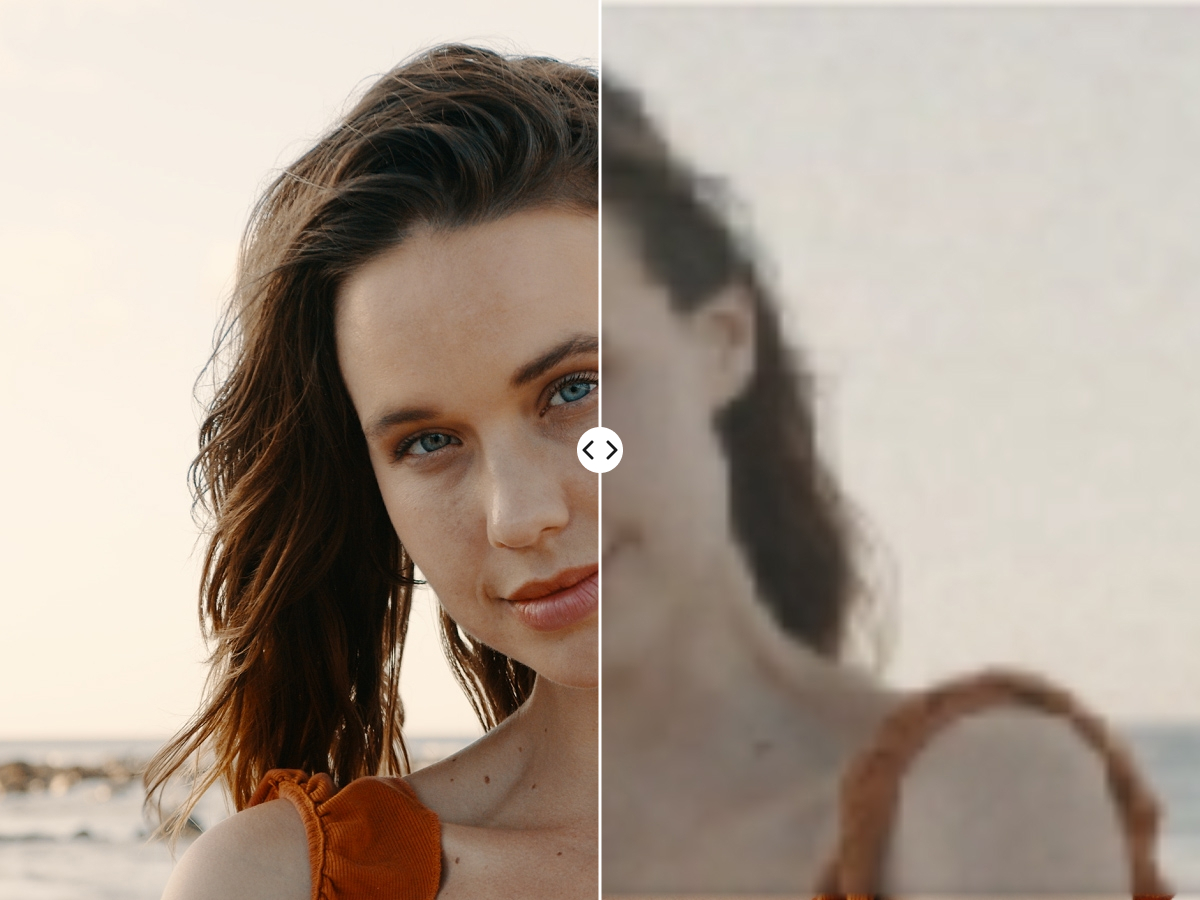
Blurry or low-quality videos can be frustrating — whether you’re working on old family footage, professional content, or social media clips. The good news is that AI video sharpening technology can dramatically improve clarity and detail with just a few clicks.
In this guide, we’ll show you how to sharpen a video using AI upscaling tools, why this approach is better than traditional methods, and how you can try it yourself with an AI Video Upscaler online.
Why Sharpen a Video with AI?
Traditional video editors use filters to reduce blur or noise, but these methods often introduce artifacts and don’t add real detail. AI video sharpeners work differently — they analyze patterns in your footage and intelligently reconstruct missing details, making the video appear clearer, sharper, and higher resolution.
- Sharper details: Enhance edges, faces, and text without distortion.
- Upscaling power: Improve resolution (e.g., 480p → 1080p or even 4K).
- Noise reduction: Clean up grainy or compressed video.
- Fast and online: With an AI Video Upscaler Online, no heavy software or hardware needed.
Step-by-Step: How to Sharpen a Video with AI Upscaling
1. Upload Your Video
Go to Imagemotion AI Video Upscaler and upload the video you want to enhance.
2. Choose Sharpening & Upscaling Options
Select your desired resolution (HD, 2K, or 4K). The built-in AI Video Sharpener will automatically analyze and enhance clarity while upscaling.
3. Let AI Work Its Magic
Once processing is complete, download your AI-upscaled video and enjoy a much clearer, sharper version.
When to Use an AI Video Sharpener
- Restoring old or blurry footage videos
- Making YouTube or TikTok videos look more professional
- Upgrading marketing or promotional videos for clients
- Enhancing vlogs or travel video shots
- Restoring archival or historical footage
- Enhancing gameplay recordings or streaming content
- Sharpening compressed videos from messaging apps
Why Choose an AI Video Upscaler Online?
Unlike desktop programs that require installation and high-performance hardware, an AI Video Upscaler Online runs in the cloud. That means:
- No downloads or technical setup
- Works on any device (PC, Mac, tablet, mobile)
- Faster processing powered by AI servers
- Accessible anywhere with internet
- Achieve sharper, higher-quality videos quickly compared to traditional methods
If you’re looking for a quick and easy solution, try our tool now.
Try Imagemotion AI Video UpscalerFinal Thoughts
With the power of AI video sharpening and upscaling, you don’t need to settle for blurry or pixelated footage anymore. An AI Video Sharpener can bring out hidden details, upscale resolution, and make your videos look professionally polished — all without complicated editing.
Sharpen Your Video Now